Ministry of Education and Science: Online Application for University Admission Starts Today

The Ministry of Education and Science has announced: "Dear applicants, if you have decided to continue your education at a higher educational institution, you must first fill out the application form electronically. This year, the admissions process will also be conducted online. The principle of this year's main competition for university admissions is one university, one specialty. The application submission period starts on April 15th and ends on May 10th.
Step one: Visit www.dimord.am. Familiarize yourself with the university admission procedures, list of universities, specialties, tuition fees, movement of applications, vacancies, and after the completion of unified examinations, also the tests and answers.
Step two: To fill out the online application form, you must first register in the system. In the upper right corner of the main page, you will find the “Login” and “Register” sections. Click on the “Register” field and review the necessary terms of the university admission process. Be sure to read the regulations, only then click on the “I am familiar with the 2021 admission procedure to Armenian higher educational institutions” field, after which the “Registration” window will appear on your screen.
Step three: In the first line under the “Personal Identification Number” field, enter the number assigned to you by your school. If you are a graduate of the previous years or from preliminary and secondary vocational educational institutions, you need to obtain your personal identification number from a designated school near your residence.
Step four: Enter your name. In the “Email address” field, enter your real, active email address, as all further information regarding your actions will be sent to that email address. Create a completely new password (not your email password) to access the system and be sure to remember it, as you will need this password to log into the system. Your newly created password will be exclusively for dimord.am.
Step five: To enter the “Identification Code,” you are required to fill in all the data and click the “Submit” button, after which the “Identification Code” will be sent to your specified email address. After filling out all fields, click on the “Register” button, and your personal page with the application will open on the screen. A window will pop up, and you must read the content carefully. The information you entered on the website, the university, specialty, and the subjects specified for the specialty, will be considered as the official application form for admission. Entries on the website must be made exclusively in Armenian. Be attentive: if there are inaccuracies in the data or changes are needed, you can correct or make changes on the website within the specified time frame. The applicant is held responsible in accordance with the laws of the Republic of Armenia for providing false information in the application.
Step six: In the application for selecting a specialty and admission examination or examinations, fill in your first name, father’s name, surname, passport data, your birth year, and your social card number, and if absent, gather ten pieces of 0. Provide two phone numbers (mobile or landline) that are always available. Specify your gender, indicate the deprivation unit if there is one, and your citizenship. Fill in the year of graduation from the educational institution precisely.
Step seven: Click on the field for “Payment for Participation in Unified and Centralized Examinations,” indicate the amount to be paid and upload the payment confirmation document(s). If you are taking one exam, choose 1500; for two, choose 3000, and if you are exempted from payment, select 0 and upload the document certifying the exemption.
Step eight: If you are participating in the admissions competition of Armenian universities, select “I participate” in the relevant field. If you are applying to universities in Artsakh, the police of Armenia, the Ministry of Defense, and other educational institutions not listed on the website, and not participating in the competition of Armenian universities, then select “Only Examinations.” You can also select the “Only Examinations” option if you have decided to continue your studies in distance learning and will submit the examination grade to the relevant university later.
Step nine: A list of specialties will then open. You can indicate 1 specialty (both free and paid) and the exam(s) for that specialty. If you are a graduate of the previous year and wish to retain the previous year’s unified examination score, after selecting “Examinations and the competition of Armenian universities,” click on one of the buttons “Retain” or “Retain or provide” noting your personal number from the previous year’s assessments; if you have forgotten it, contact the Assessment and Testing Center.
Step ten: If you do not yet have a certificate or diploma, select the “I do not yet have a graduation document” field. If you have a graduation document, check whether the name of the educational institution that provided the graduation document is correct. In the “Type of Graduation Document” field, select either certificate or diploma, then indicate the document number. If your graduation document is a certificate, press the “Certificate” button, and fill in the registration series and number, repeating the same for a diploma.
Step eleven: First, select the grading system. All grades from the graduation document must be specified. If you do not have a grade for a particular subject, the system will input 0 in the relevant field. If you have grades for more than one foreign language, select from the list in the foreign languages field and enter the grade of the foreign language you studied.
Step twelve: If you have a privilege, such as being a medal holder or having a first-degree diploma from the national olympiad or having a targeted scholarship, please mark it accordingly. If you have decided to participate in the Ministry of Defense's “I am honored” program, select that option. Indicate any privileges you have. If you are not familiar with the content of the privilege points, click on any point and familiarize yourself with its content. Documents proving the privilege must be presented to your chosen university.
Step thirteen: You can review all your notes again to ensure you have filled them out correctly. You can change, if necessary, remove the note and fill it out again. Once you are assured everything is correct, press the confirm button, after which the system will lock your page. Your completed application will be sent to the email address you provided. After confirmation, until the expiration of the deadline of May 10 at 18:00, you can visit www.dimord.am, clicking on “Login” and entering the same email address and password to open your application. There you can make changes or even completely withdraw your application.
If you are an applicant for the “Medical Work in the Armed Forces” specialty of Yerevan State Medical University, you must present yourself to the admissions sub-commission of the military medicine faculty for personal files, registration, and referral for military medical examination as prepared by the conscription offices. The acceptance of files from this and previous years' graduates will take place from April 15 to May 7, from 11:00. The acceptance of files from applicants who will be discharged from the RA Armed Forces by July 31 this year will take place from June 23 to June 30, from 11:00. After registering with the admissions sub-commission of the military medicine faculty, all applicants will be referred to the central polyclinic of the RA Ministry of Defense for a military medical examination. After passing the examination, applicants must present the certificate issued by the military medical commission to the admissions sub-commission of the military medicine faculty, after which they will only complete the electronic version of the application.
Dear applicant, if you find using the electronic system an insurmountable difficulty, you can apply to the school that provided your personal identification number and ask them to register you in the system. This will be done completely free of charge.
We wish you good luck!
Նմանատիպ հոդվածներ
Jalal Harutyunyan Interrogated by Investigative Committee
Government Revokes Military Service Exemption for Three Athletes
President of the Supreme Judicial Council R. Vardazaryan's Powers Suspended: G. Jhangiryan to Assume Duties
In Syunik, We Are Considering Updating the Fleet of Ambulances: Anahit Avanesyan
Ավելին Society բաժնից

Վենեսուելայի երկրաշարժից հետո կան վիրավոր և անհետ կորած հայեր

Ֆրանսիայում ռեկորդային շոգի պատճառով ատոմակայաններ են կանգնեցվում
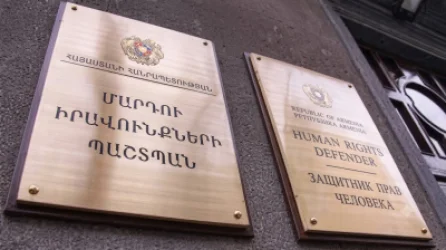
Անահիտ Մանասյանն ընդունել է Անդրանիկ Թևանյանի իրավունքներին առնչվող հարցերը բարձրաձայնող անձանց